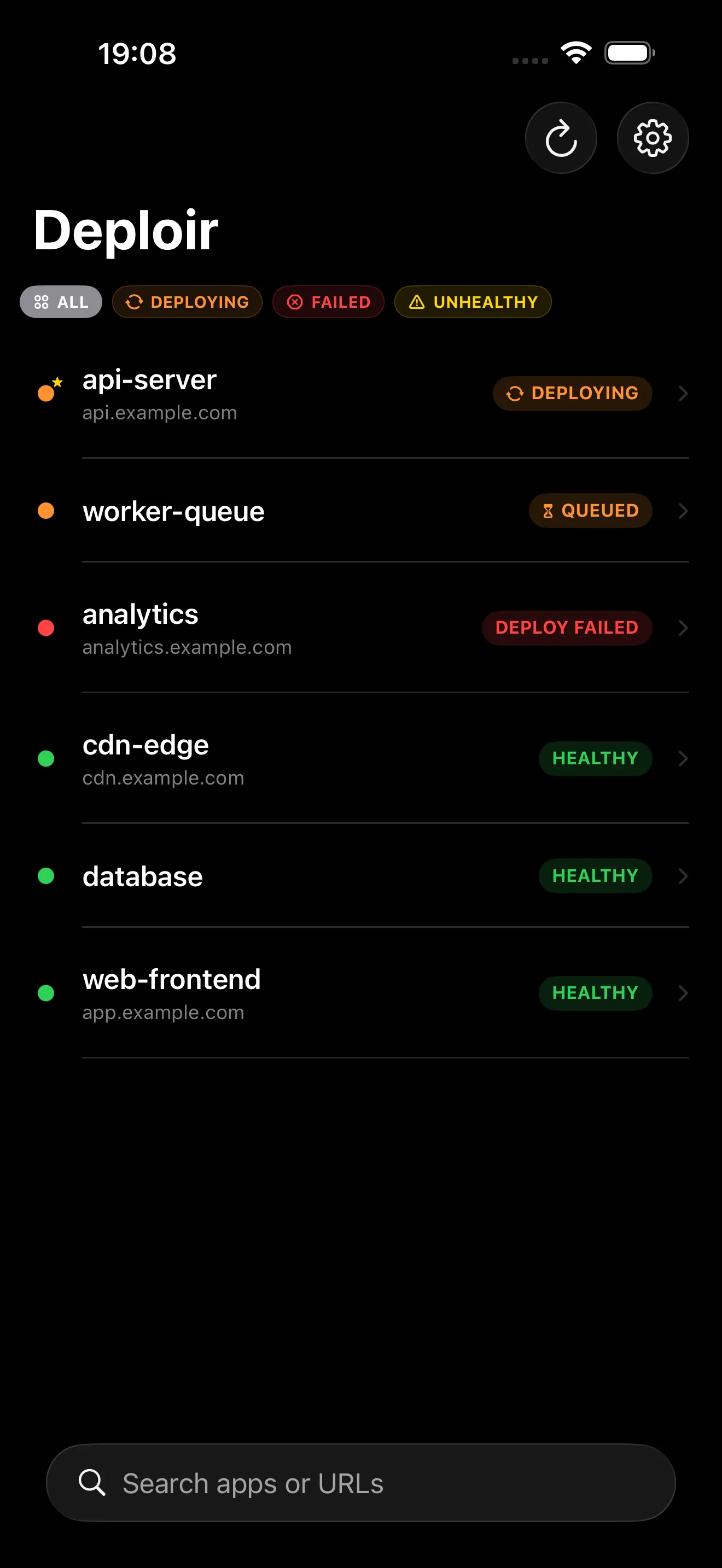
Every service. One list.
Filter by state, pin important apps and switch between Coolify servers without losing the release you were watching.
 Deploir
Native Coolify companion. Monitor deployments, read live logs and take action from a Mac, iPhone and iPad app. No account. No tracking. No extra backend.
PlatformsmacOS 26 · iOS 26 · iPadOS 26
Works withCoolify v4
PriceFree
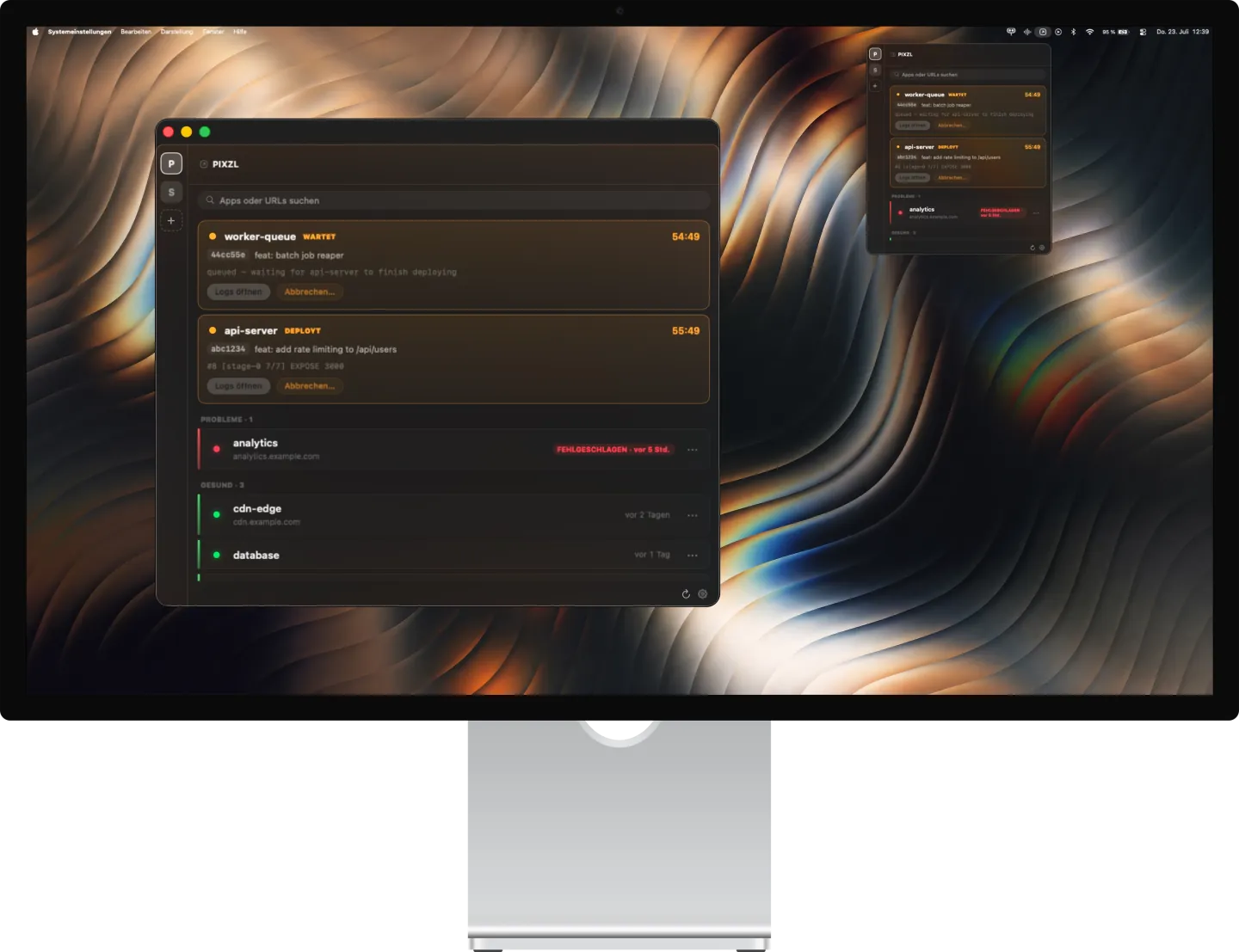
Deploir lives in the macOS menu bar. The icon changes while a deploy is running, and one click opens your servers, deployment history, logs and release controls.

These are real Deploir screens. No concept UI and no reconstructed product mockups.
Filter by state, pin important apps and switch between Coolify servers without losing the release you were watching.
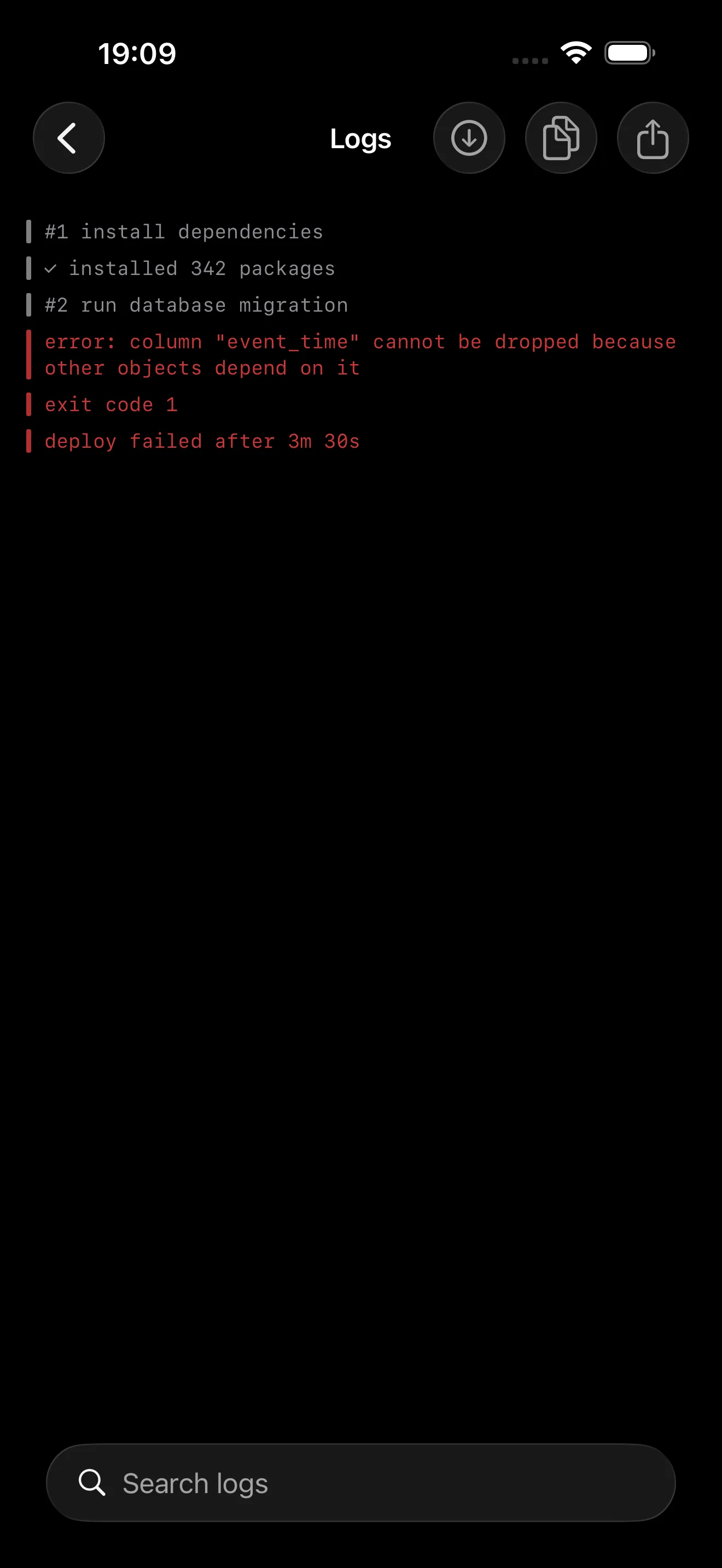
Read live deployment output, search it and copy the line you need while the context is still fresh.
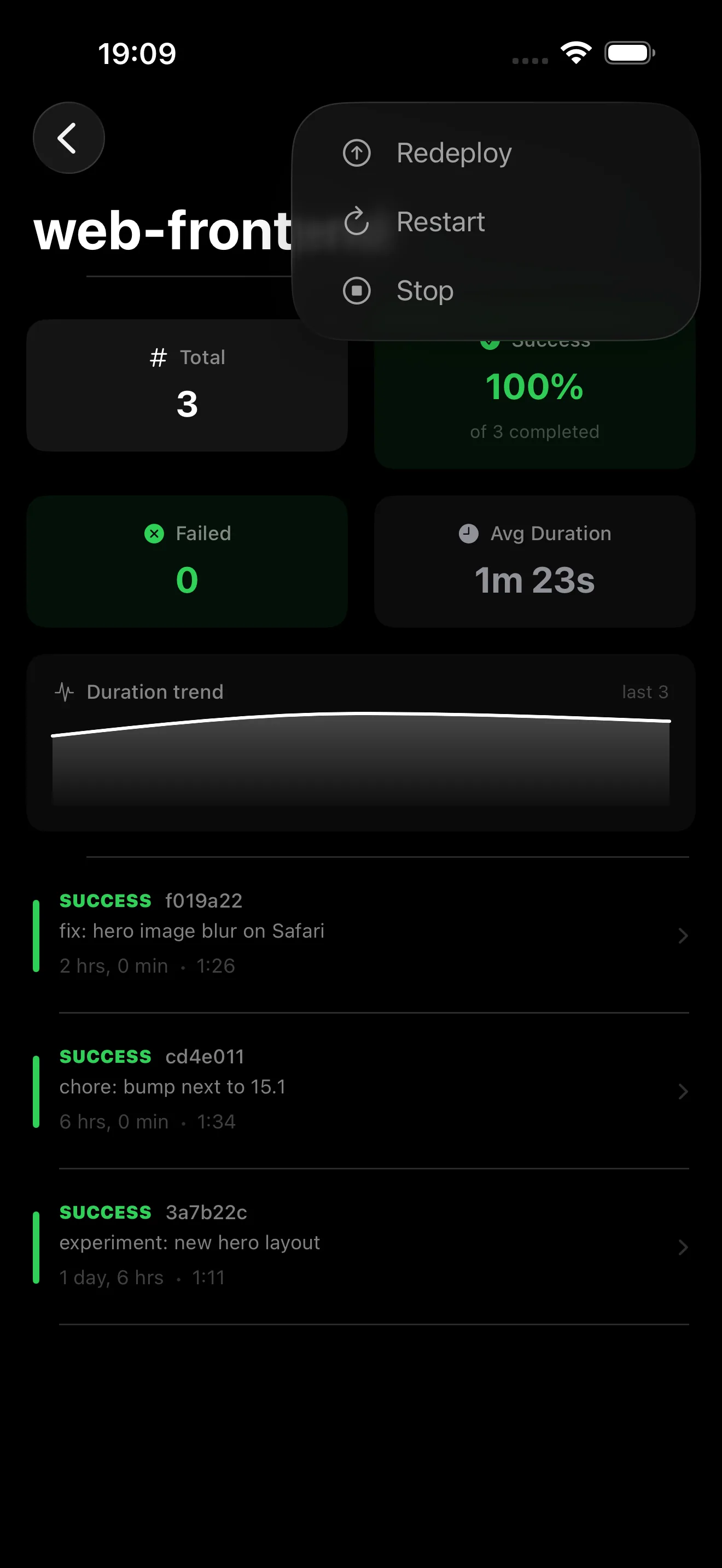
Check success rate and duration, then redeploy, restart, stop or roll back with deliberate native controls.
The details that make Deploir useful after the first successful deploy — and during the first failed one.
Keep production, staging and client instances in one app. Names, URLs, favorites and preferences can follow via iCloud; tokens stay device-only.
Open past releases, compare success rate and duration, and roll back with an explicit confirmation.
Stream, search and copy only the lines you are looking at. Auto-scroll steps aside when you read back.
Get local deploy and health alerts. Tap a failure to land in its logs, or snooze a noisy health change.
Explore apps, deployments, logs, metrics, widgets and Live Activities before connecting a server.
Hide server URLs for screenshots or shoulder-surfing without changing the connection itself.
Elapsed time keeps ticking on the Lock Screen while the app sleeps.
Small, medium, circular and rectangular views for Home and Lock Screens.
Check status, deploy or restart with authentication and confirmation.
Let iOS check Coolify while suspended and surface finished deploys.
Open logs or apps from an alert, with grouping and health snooze.
Long-press the app icon to refresh or open a recent application.
API tokens stay in the device-bound Apple Keychain and never sync. Deploir connects directly to the server you entered. Notifications are produced locally on your device.
A reachable Coolify v4 instance over HTTPS and an API token with read, write, deploy and read:sensitive scopes. Deploir tests the connection before saving it.
Yes. Demo Mode fills the app with sample apps, deployments, logs and metrics. Destructive actions are disabled, so you can explore safely before connecting Coolify.
In Apple Keychain on that device. Tokens are never synced through iCloud. Server names, URLs, favorites and preferences can sync so another device is ready for its own token.
Yes. Add as many Coolify instances as you need, switch them from the app or menu bar and use ⌘1–⌘9 on Mac.
Notifications are created locally from Deploir's polling. iOS can request best-effort background refresh, and tapping an alert can open the matching app or deployment logs. No Pixzl push server is involved.
Nothing. Deploir is free on Mac, iPhone and iPad, with no ads, in-app purchases, account or license key.
Mac · iPhone · iPad
Free in the App Store. No sign-up and no license key.